Most interactions with modern AI follow a predictable, reactive cycle: you open a chat interface, type a prompt, wait for a response, copy the output, and close the tab. The moment that session ends, the compute stops, the context clears, and the AI goes dormant until you prompt it again.
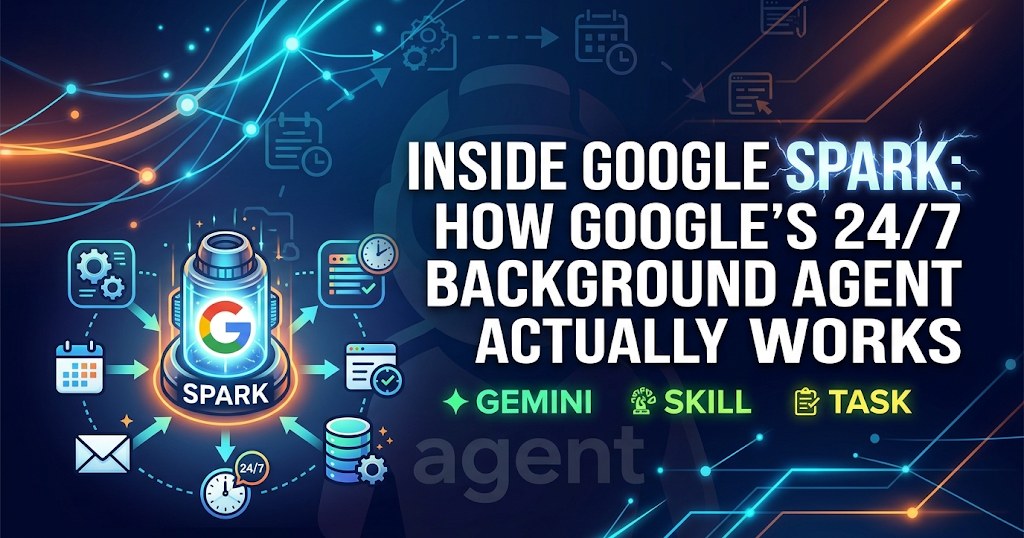
With the launch of Gemini Spark, Google is shifting away from the traditional conversational interface toward persistent, autonomous background execution. Instead of acting as a passive chatbot waiting for human input, Spark operates as an always-on personal agent designed to execute multi-step workflows across your digital environment.
Here is a technical look under the hood at how Spark is structured, what makes it distinct from standard chat models, and how to think about its execution model.
The Architecture: From Session Chat to Background Daemon
To understand Spark, it helps to separate traditional conversational LLMs from autonomous background agents.
Traditional Chat:
[User Prompt] ──> [Stateless LLM Call] ──> [Text Response] ──> [Session Terminated]

Gemini Spark:
[Triggers / Schedules / Events]
           │
           ▼
[Persistent Agent Runner (Cloud VM)]
           │
  ┌────────┼────────────────────────┐
  ▼        ▼                        ▼
[Skills] [Workspace Context] [MCP / Tool Protocols]
           │
           ▼
[Multi-Step Autonomous Execution & Background Delivery]
A standard chat interface relies on ephemeral, user-initiated sessions. Spark, by contrast, runs inside dedicated, sandboxed environments on Google Cloud. This architectural shift enables three fundamental capabilities:
Continuous Operation: Spark does not require an active browser tab or an open terminal. It runs 24/7 in the cloud, allowing it to complete tasks while your local machines are powered down.
Event-Driven Triggers: Instead of waiting for a manual prompt, Spark can listen to environmental signals: cron intervals, incoming emails, updated files, or specific conditions detected across the web.
State and Context Persistence: Spark maintains a contextual layer across your Workspace apps (Gmail, Drive, Docs, Sheets, Calendar, and Tasks), referencing past interactions, workflows, and preferences to execute tasks without requiring you to re-explain context in every prompt.
The Core Triad: Tasks, Skills, and Schedules
Under the hood, Spark’s orchestration engine is built on three core building blocks: Tasks, Skills, and Schedules.
1. Tasks: The Execution Engine
A Task is an end-to-end objective delegated to the agent. Unlike simple single-turn prompts, Spark evaluates tasks by decomposing them into a dependency graph:
It determines which data sources need querying.
It identifies required external tools and APIs.
It executes each step iteratively, evaluating intermediate results and adjusting its execution path if a step fails or yields incomplete data.
2. Skills: Reusable Operational Handbooks
Skills are modular, structured instruction sets that teach the agent how to perform specific classes of work.
System Skills: Pre-configured workflows for interacting with core platforms, document formats, and data structures.
User Skills: Custom, user-defined procedural knowledge stored as Markdown definitions with structured metadata. When a task references a skill, Spark dynamically loads the specific rules, constraints, and tool definitions required to complete the job according to your exact preferences.
3. Schedules: Autonomous Triggers
Schedules turn Spark from an on-demand tool into an automated background pipeline. Spark supports multiple trigger mechanisms:
Time-Based (Cron): Executes tasks periodically at designated local time intervals (e.g., daily briefing generation or weekly repository synchronization).
Email-Based: Listens for incoming messages matching specific query filters (e.g., invoices from a specific vendor, server alerts, or status reports) and triggers downstream processing.
Conditional & Search-Based: Periodically evaluates semantic conditions across data feeds or web signals, executing workflows only when defined criteria are met.
Real-World Workflows: How Spark Operates in Practice
To see how these components interact, consider two common power-user scenarios:
Scenario A: Asynchronous Research & Briefing
The Trigger: You set a scheduled task to run at 6:00 AM every weekday.
Execution: Spark spins up in the cloud, searches configured technical feeds and documentation updates, synthesizes key developments, and extracts action items.
Delivery: It compiles the findings into a structured Google Doc, links primary sources, and prepares a concise summary delivered directly to your chat interface before you start your day.
Scenario B: Cross-App Event Triage
The Trigger: An email arrives containing an updated contract or project milestone.
Context Synthesis: Spark identifies the project, cross-references existing timelines in Google Drive, and checks Google Calendar for scheduling conflicts.
Action: It creates corresponding action items in Google Tasks, drafts a context-aware reply for your review, and flags deadlines on your calendar.
Security, Guardrails, and Execution Boundaries
Allowing an AI agent to execute tasks autonomously requires strict operational boundaries:
Isolated Execution: Actions take place in hardened cloud runtime environments, preventing cross-tenant leakage and ensuring execution integrity.
Permission Scopes & Confirmation Gates: Spark operates under explicit permission boundaries. Read operations and non-destructive tasks run autonomously, while destructive or external mutating actions (such as sending emails or modifying critical shared files) can be configured to require explicit confirmation before execution.
Protocol Standardization: By leveraging the Model Context Protocol (MCP) and standardized tool interfaces, Spark maintains structured, type-safe communication between the model and external services.
Key Takeaway
The significance of Gemini Spark is not simply that the underlying language model has become faster or more knowledgeable. The real evolution is architectural: moving from a stateless chat session to a persistent, event-driven background agent.
When AI can manage its own execution loop, load specialized skills, and monitor triggers autonomously, it ceases to be just a writing assistant and becomes a reliable, background automation engine.